Please fill out the following form to download TURANDOT

Current version:
视频封面
play

What Makes Us Different

Sound Field Simulation: Algorithm-Based On-Site Preview for Seamless Optimization

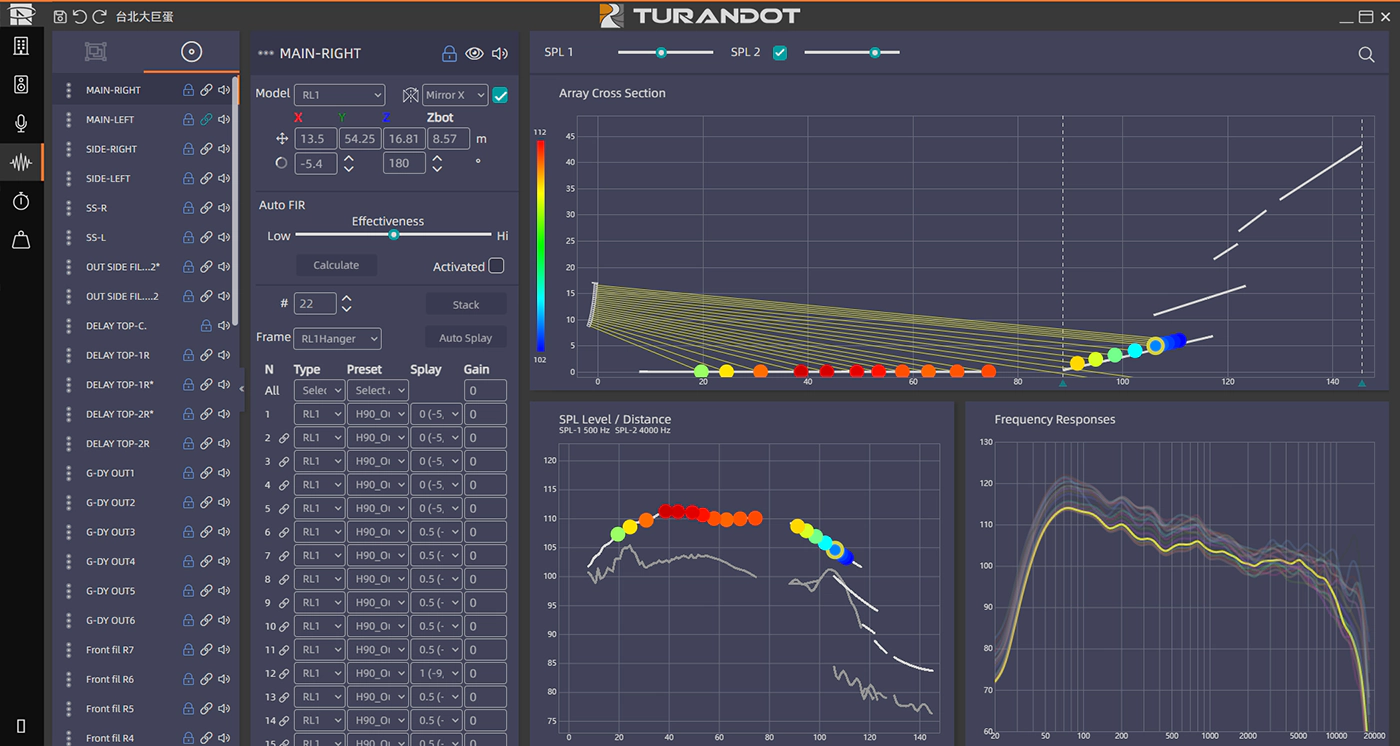
The system optimization with simulated sound field enables rapid generation of optimized acoustic solutions through functions such as spatial design, sound source design, and microphone placement design, while simultaneously outputting detailed reports.

Flexible control: Adjust complex sound fields at your fingertips, achieving perfect sound on-site in one step

With freely adjustable parameters, it flexibly configures sound effects for multiple scenarios; the device status and interface are linked in real-time, providing intuitive interaction and instant response; by previewing the sound field environment and directly applying the debugging scheme on-site, efficient deployment and seamless implementation are achieved.

Intuitive:Achieve precise mapping between interface and equipment without connecting to on-site devices. Mixing adjustments are visually displayed in real time—gain, frequency bands, and other parameters respond instantly. What you see is what you get.

FlexibleSupports multiple groups, scenes, configurations, and presets, enabling precise parameter tuning and flexible combination of inputs (multi-modal parameter configuration).

FastQuickly set up the system, instantly debug application scenarios, and efficiently deploy on-site effects.

Pre-configuredDirectly import simulation data to complete sound field modeling and debugging within the system, enabling accurate preview of real-world conditions.

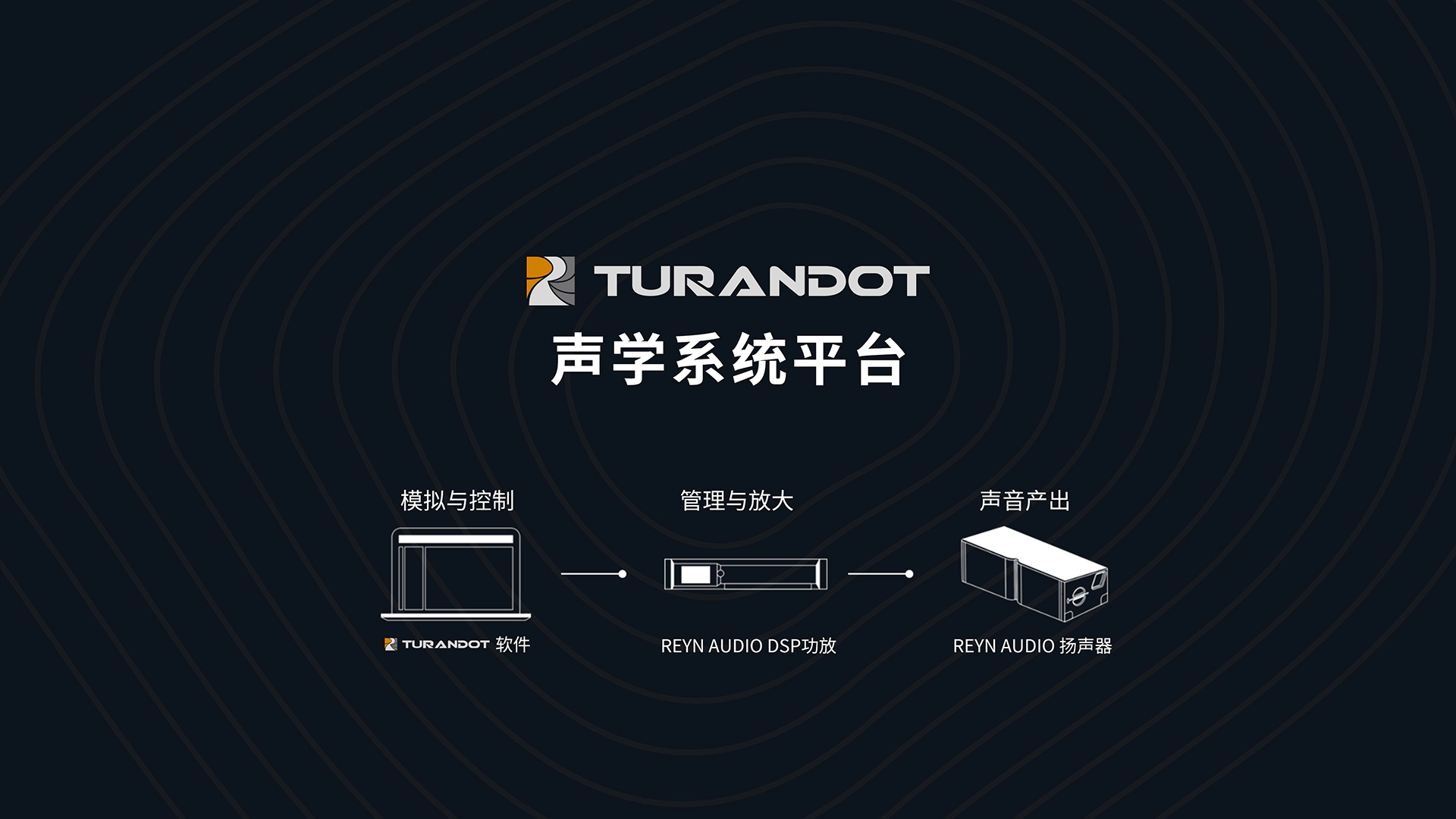
All-in-One Platform: From Design to Monitoring, Full Closed-Loop Control

One-click import of modeled and optimized sound field data to DSP amplifiers, with real-time equipment health monitoring (integrated system supervision functionality).

Industry-leading, independently developed AUTO FIR – Precision Filtering Algorithm Redefines the Boundaries of Listening Experience

AUTO FIR (Adaptive Line Array Field Optimization) is TURANDOT a proprietary precision filtering algorithm exclusive to TURANDOT. In line array systems, listening experiences vary significantly across different positions.AUTO FIRindependently calculates FIR filters for each loudspeaker, balancing the listening experience between front and rear areas—delivering consistent sound pressure, frequency response, phase coherence, and tonal uniformity, while effectively controlling sound pressure attenuation.

Simulation System

Basic Information

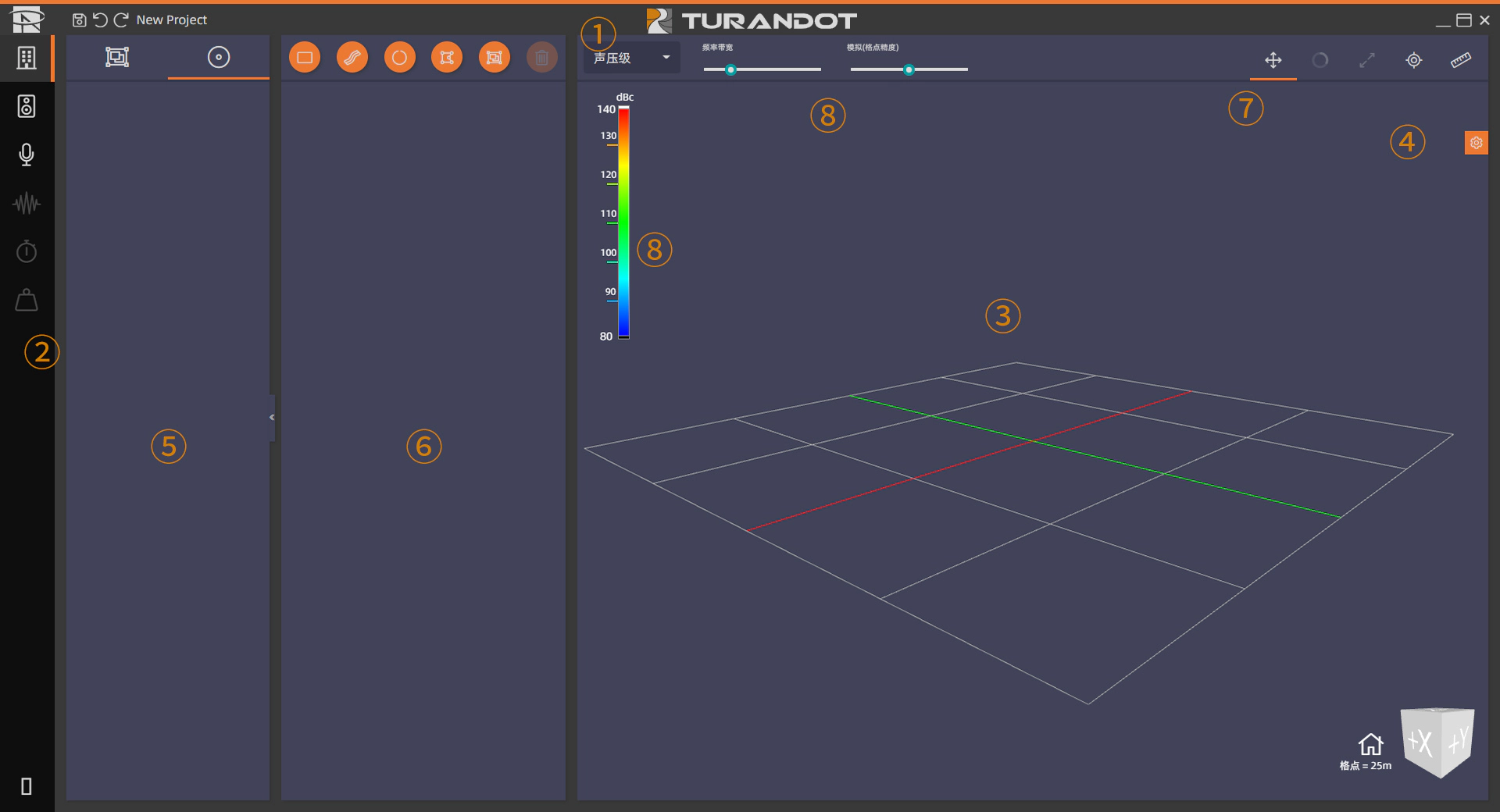
The interface of the Simulation System consists of three panels: 3D Workspace Panel, Toolbar Panel, and Settings Panel. Each panel features a toolbar at the top.

1 Main Toolbar
3 Workspace
5 Surfaces, Sources, or Microphones List Panel
7 Object Movement & Space Modification Toolbox
2 Workspace Selector Tab
4 Tools / Reports Settings
6 Properties & Edit Panel
8 SPL Mapping Function

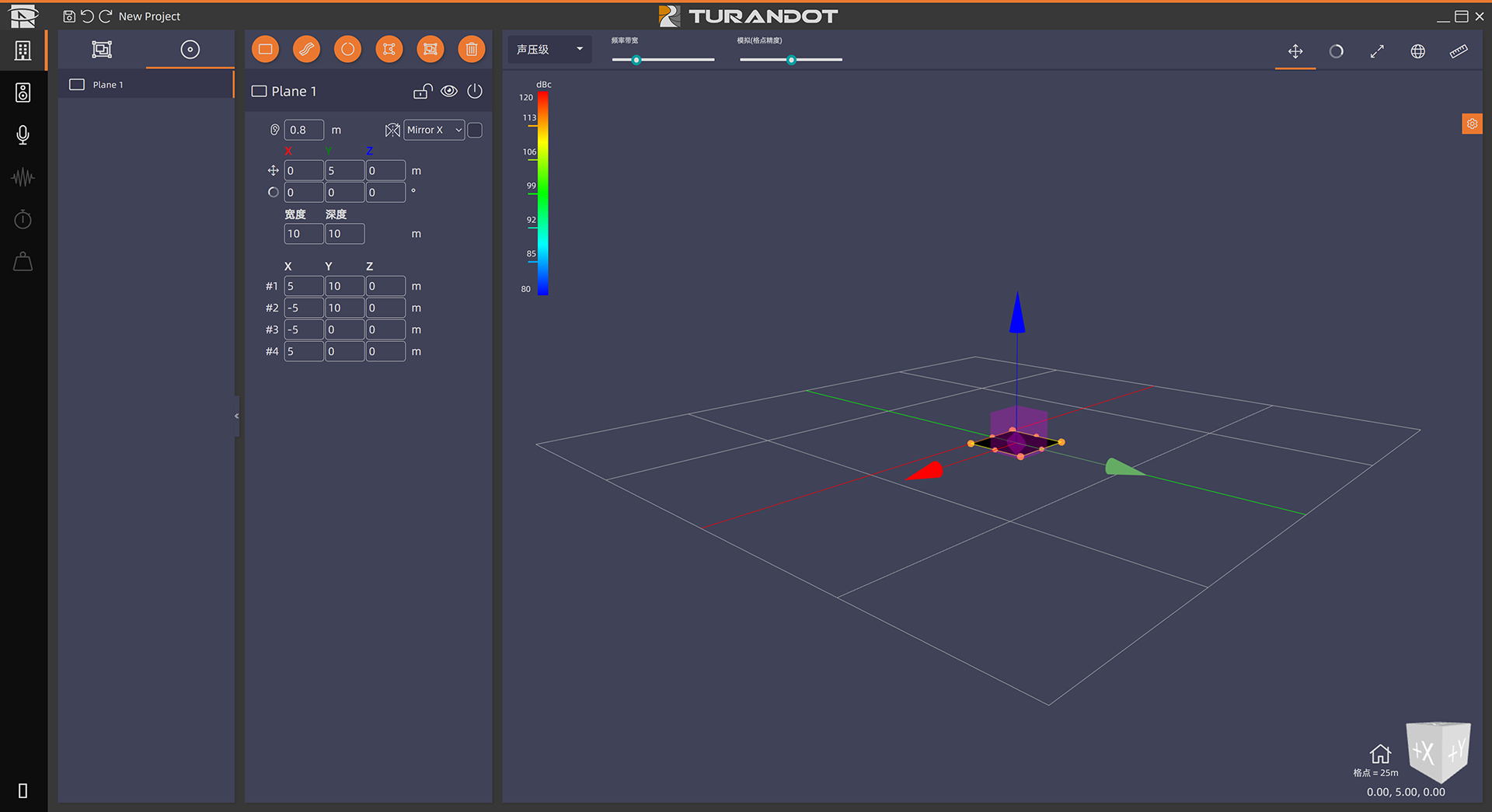
Space Design

The Workspace Tab supports venue structure drawing. It provides a variety of surface creation tools and allows direct editing within the 3D space. It also supports importing drawings from external professional modeling software to reduce modeling time.

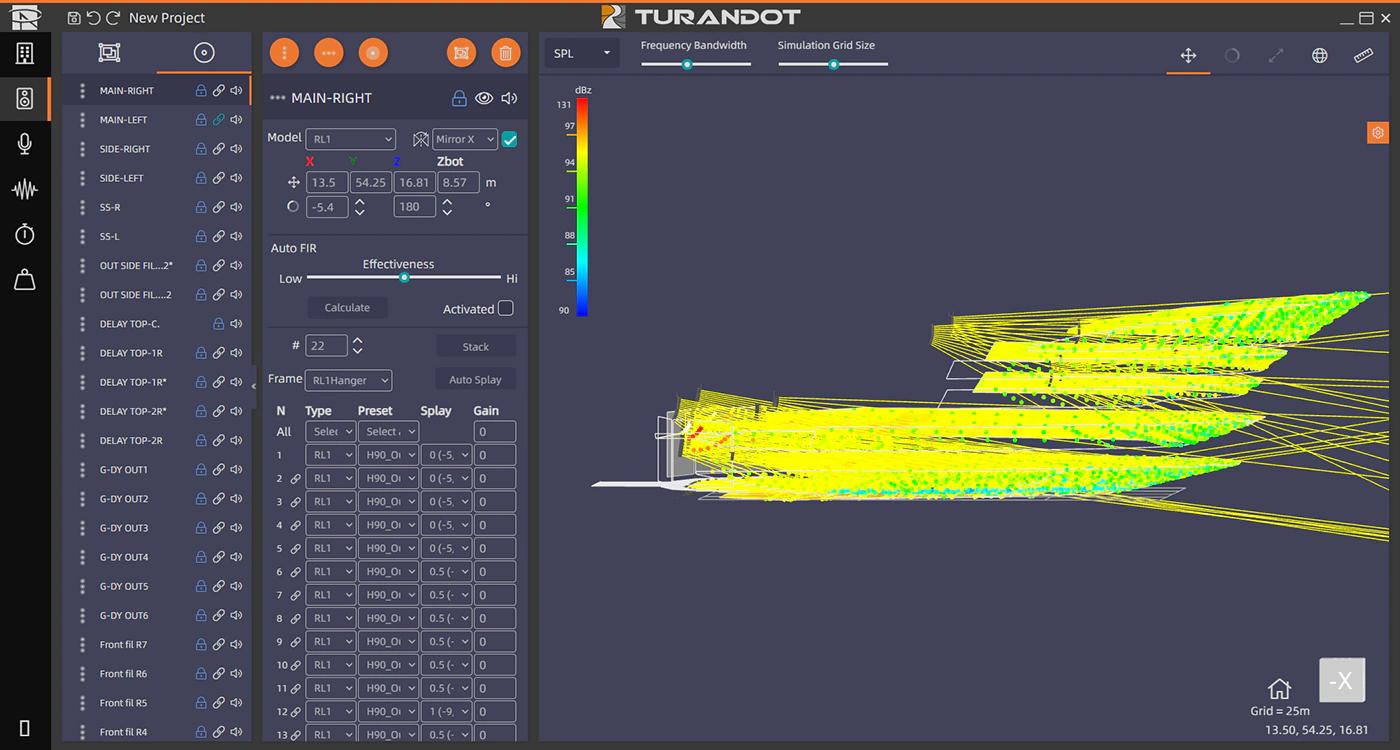
Source Design

The Workspace Tab integrates venue simulation for loudspeaker systems. It provides a variety of source creation tools, supports adding and editing sound sources or source groups in 3D space, and enables delay and frequency response analysis.

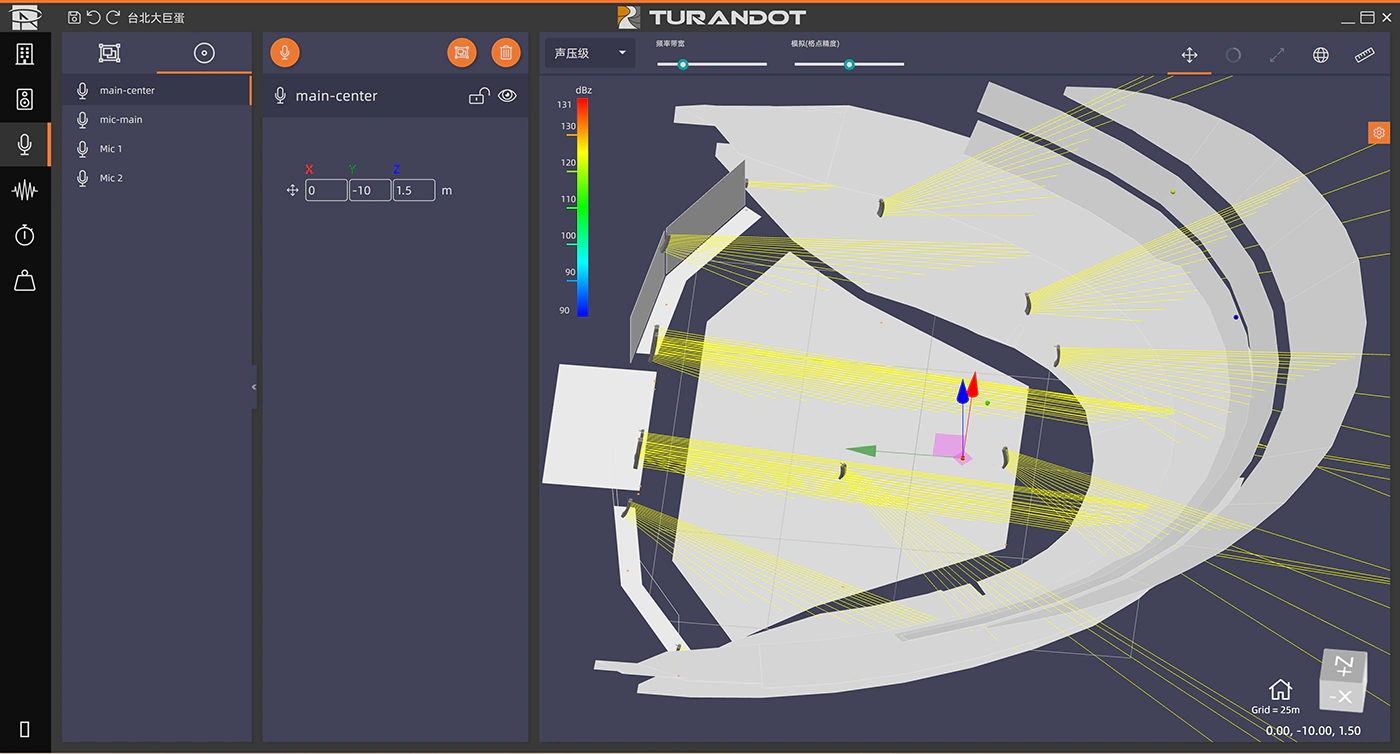
Microphone Placement Design

The Workspace Tab supports inserting virtual microphones for audio system optimization. It provides virtual microphone creation tools with 3D space editing capabilities. These microphones can be used to measure sound source positioning and acoustic characteristics, based on which the software calculates frequency response and phase (origin at center).

Optimize Sound Field

The Workspace Tab supports editing and optimization of loudspeaker attributes. The List and Properties panels follow the same structure as the Source Design tab. The workspace integrates charts, supporting source editing and response optimization.

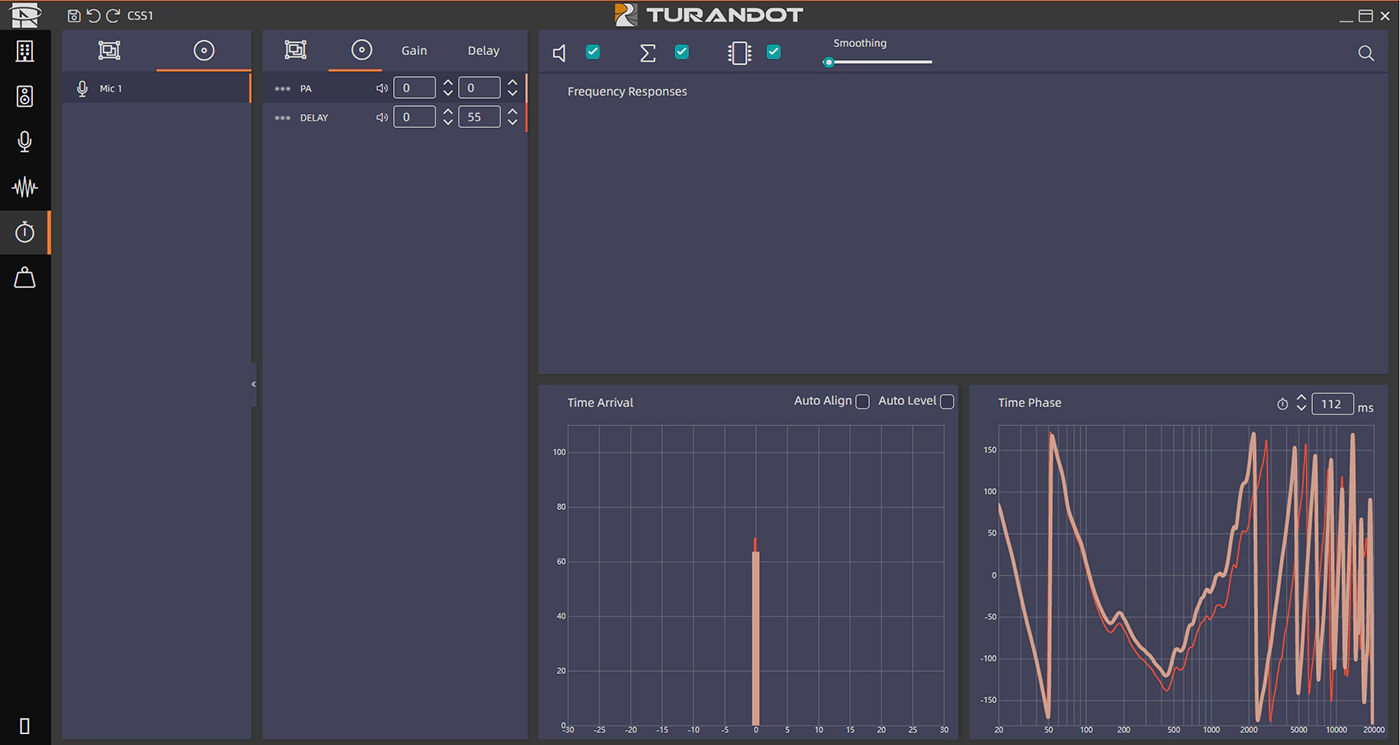
Delay & Gain Calibration

When multiple loudspeakers or arrays are inserted into a project, use this Workspace Tab to align all loudspeakers, and to verify and optimize the level, time alignment, and phase alignment of the audio system. Each window provides a variety of tool options, using the positions of virtual microphones created in the project as input references to generate analysis results. The Alignment List Panel functions the same as the panel in the Microphone Design Tab, containing a list of created microphones and microphone groups.

Rigging Point Distribution

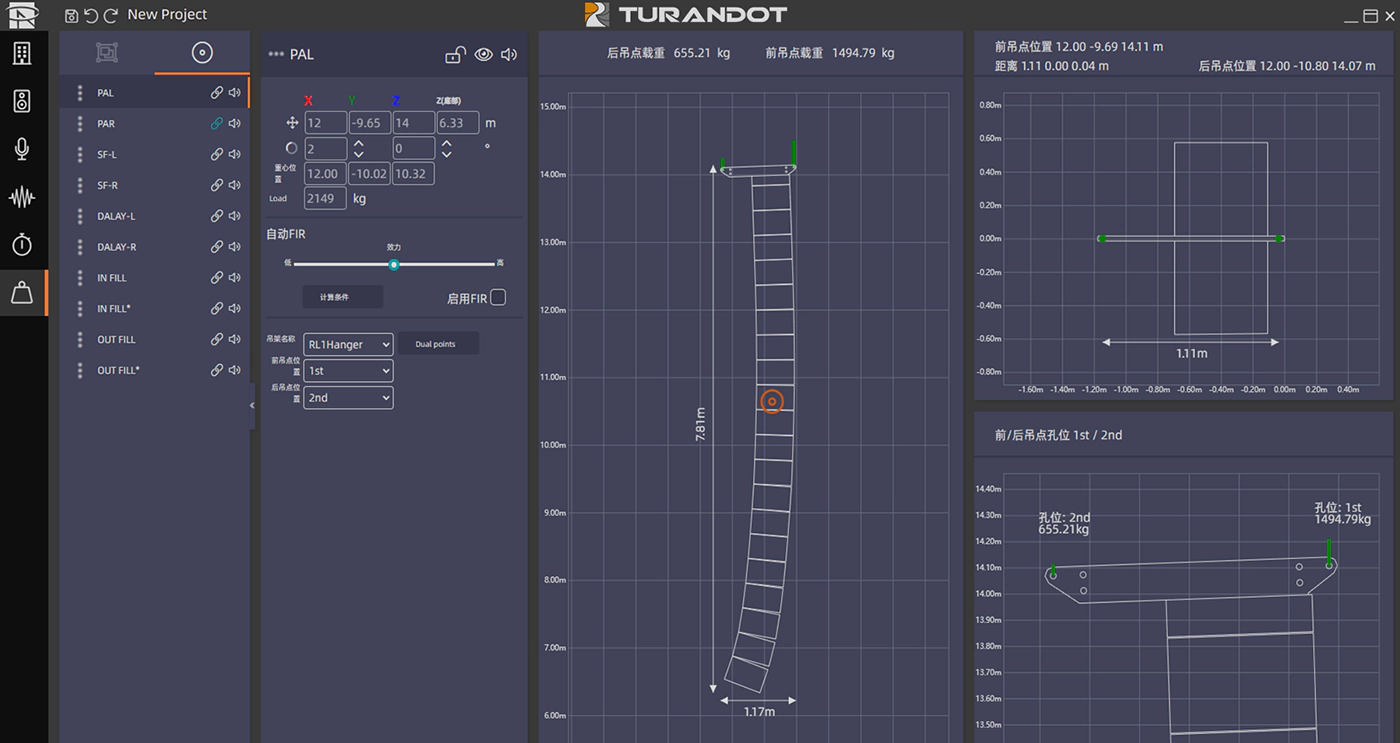
The Rigging Point Distribution tab centralizes rigging point information and supports editing source properties. It displays the mechanical and static details of the selected sound source, allowing properties of the arranged sound sources to be edited.

It enables viewing of loudspeaker dimensions (length, width, height) and angles, automatically calculates and optimizes front and rear rigging point load capacity based on venue weight limits, and simultaneously displays the center of gravity of the entire array.

One-click preview of rigging visualizations enhances installation efficiency.

control system

Basic Information

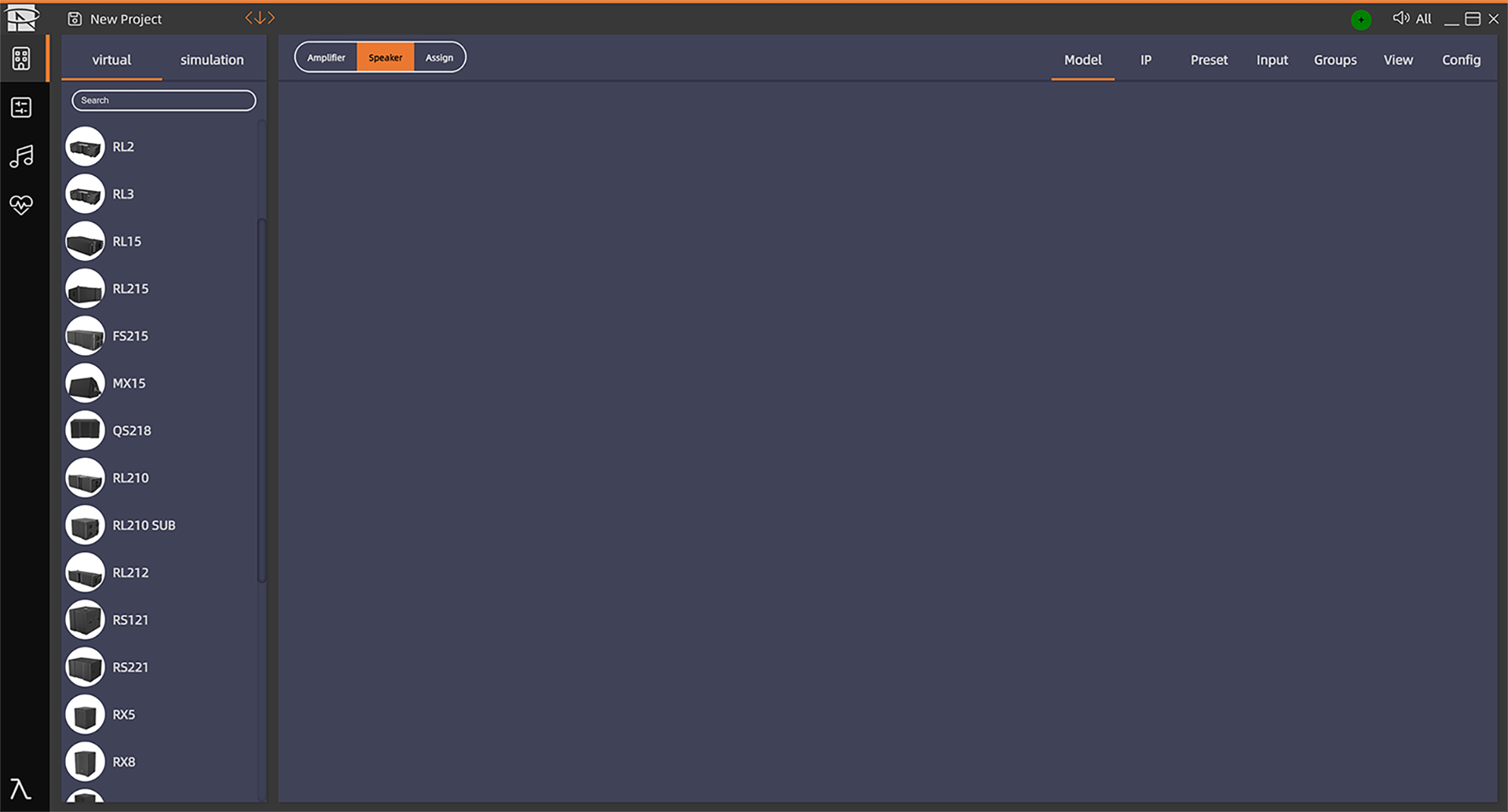
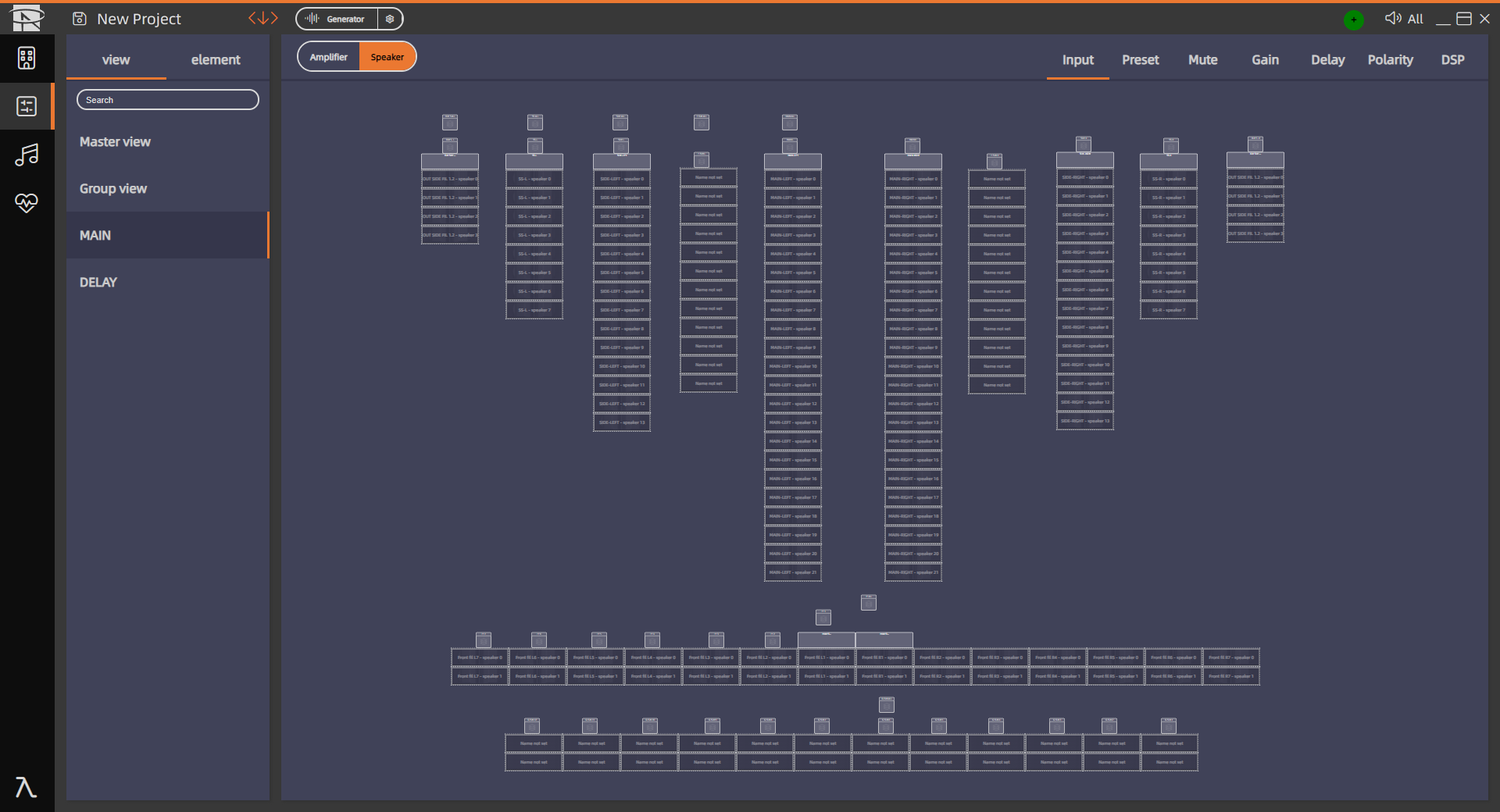
In Control Mode, the software includes the full range of Reyn Audio loudspeaker and amplifier models along with corresponding preset parameters, which can be directly recalled without the need for repeated configuration. It supports one-click power on/off for amplifier groups and one-click updates for hardware firmware versions.

System Setup

Supports on-demand selection of equipment models and preset scenarios. Enables one-click import and synchronization of simulation data, with automatic loudspeaker model identification for rapid system configuration.

System Tuning

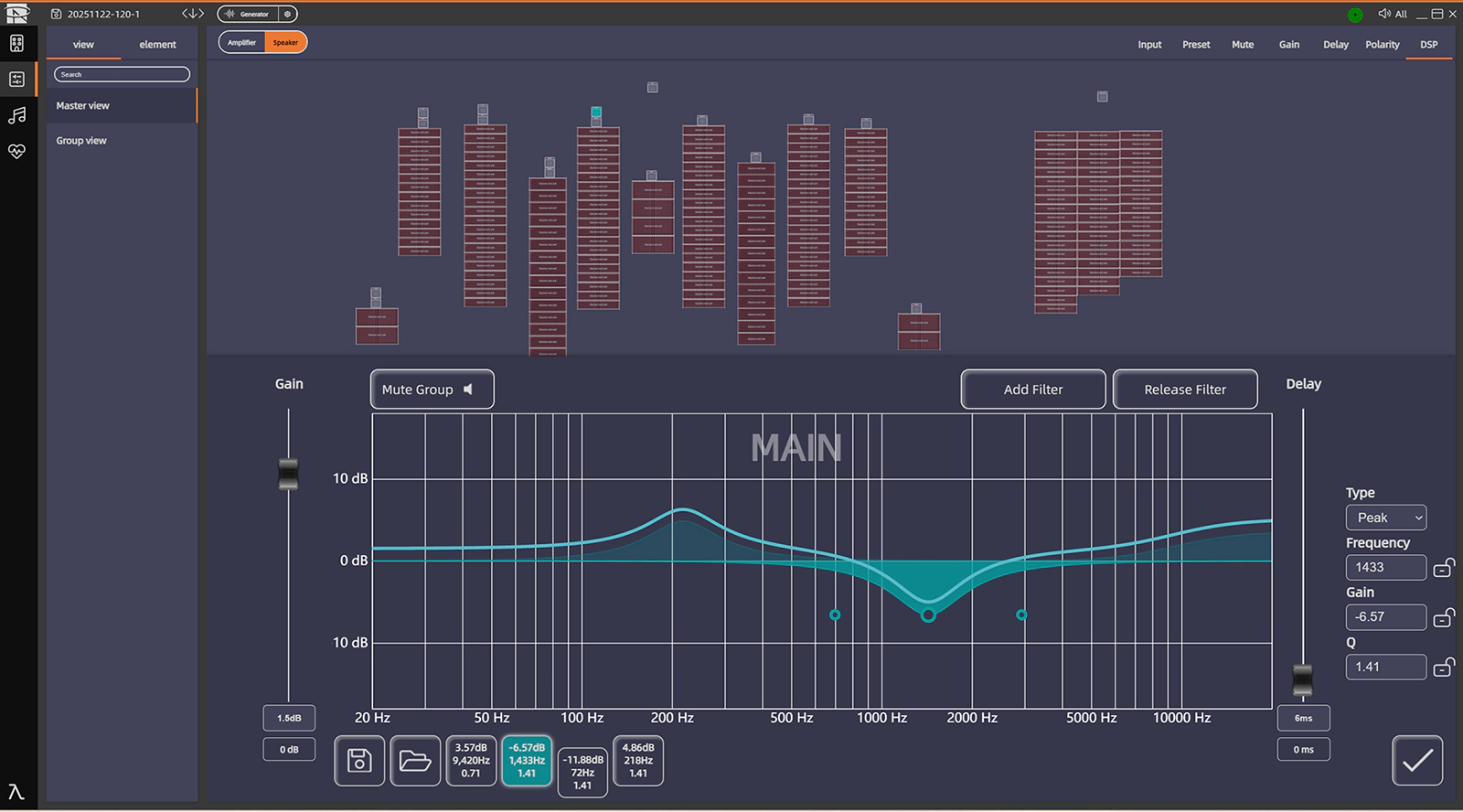
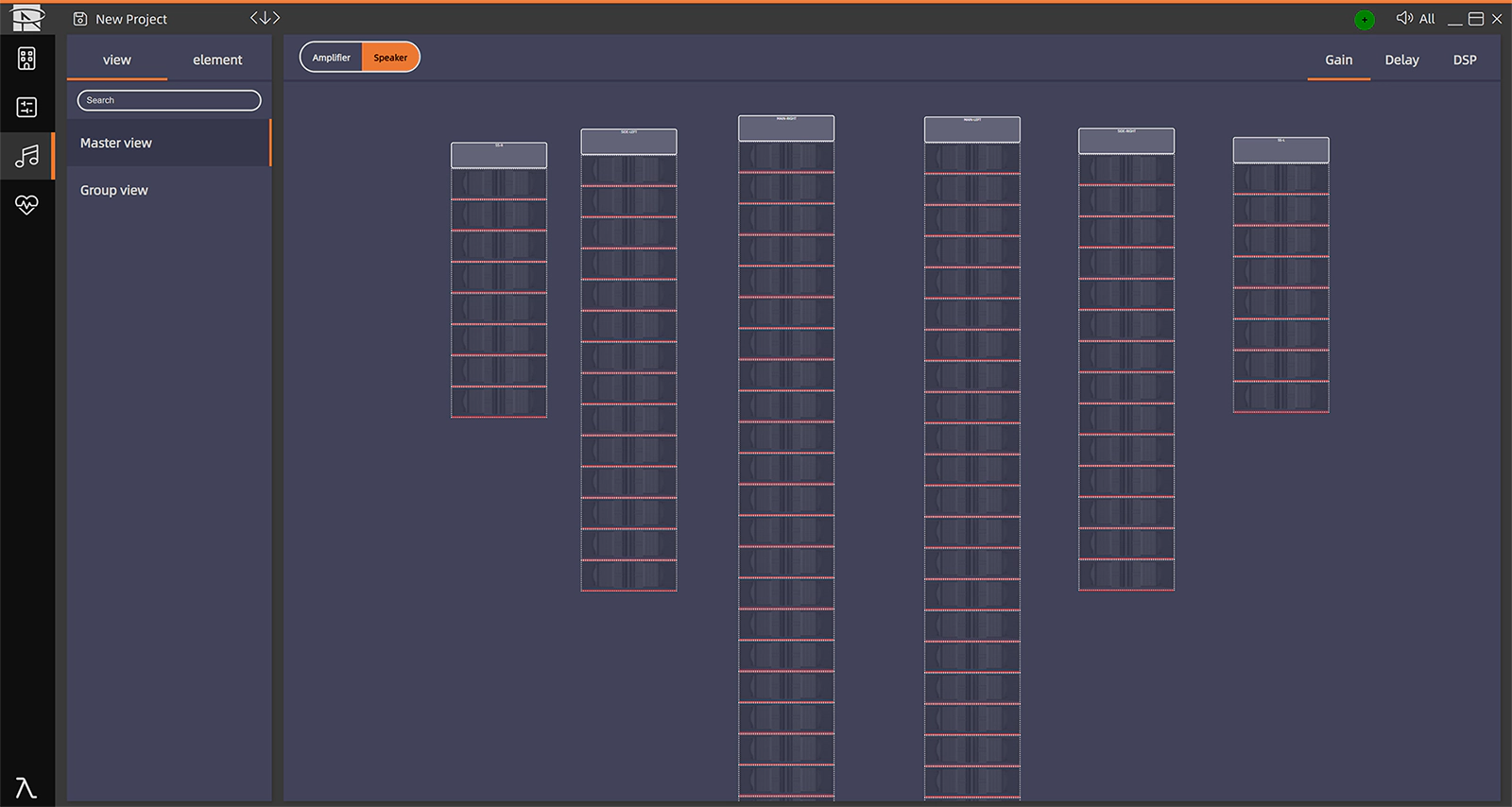
The software supports fine adjustment of Input, Preset, Mute, Gain, Delay, Polarity, and DSP parameters for precise control.

Arrangement & Tuning:Horizontal/vertical array arrangement, with auto-snap and alignment support. One-click switching of loudspeaker group presets to adapt to different scenarios.

DSP Core:Industry-leading ADI audio-specific DSP chip (ADSP-21569),supports larger system expansion and more precise data processing.

Listening Tuning

Dynamically tracks and monitors sound clarity and evenness. Precisely adjusts parameters according to musical requirements to achieve uniform sound field coverage, ensuring consistent listening experience across all areas.

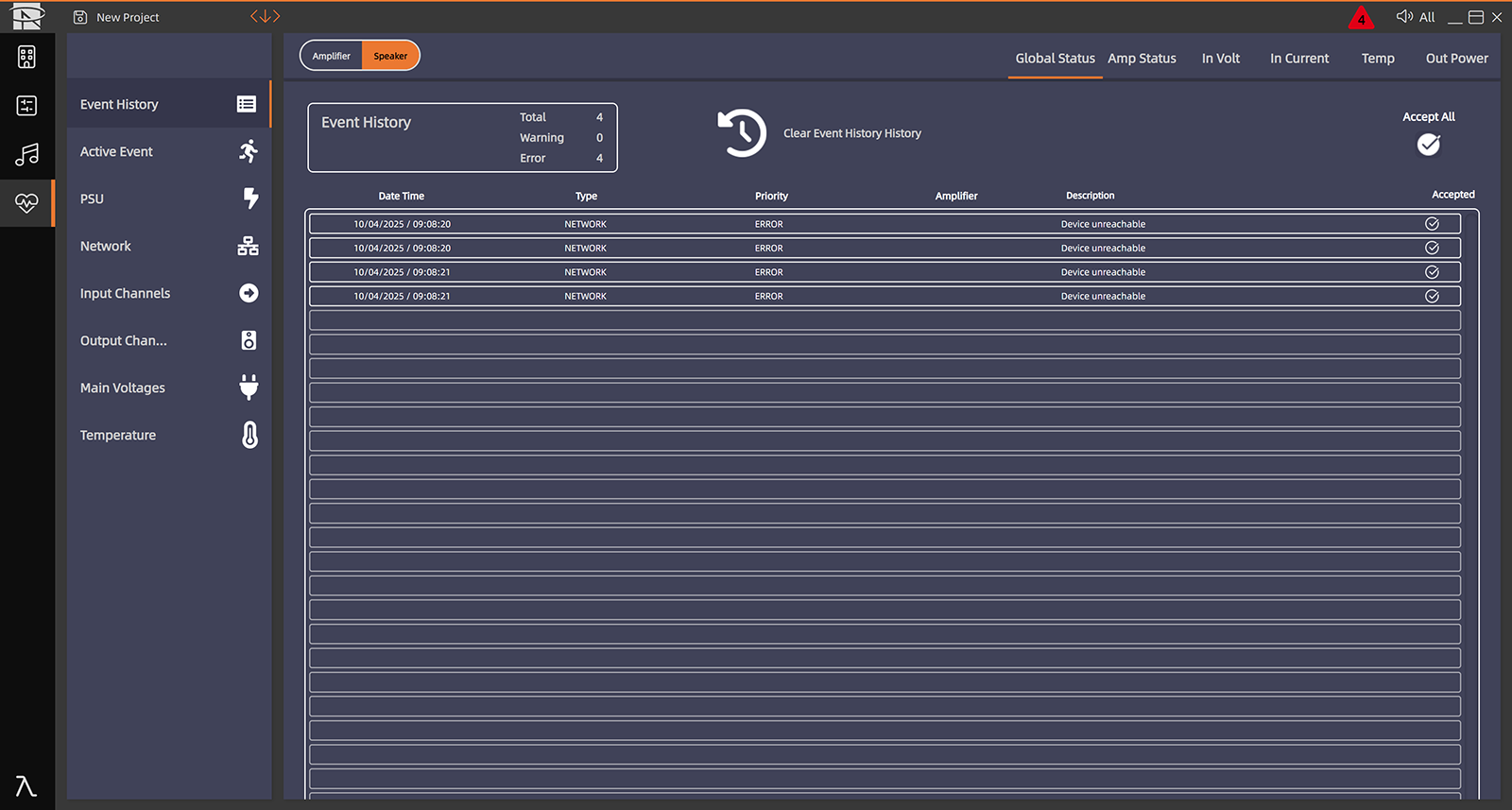
System Health Monitoring

Intelligent monitoring provides real-time tracking of equipment operation status; triggers the alert mechanism for immediate notification. Supports simultaneous generation of full-cycle digital records of equipment operation and usage.